Which Java Version Does Minecraft Need? Full Version Chart (2026)
The Java version Minecraft needs depends on the Minecraft version you are running, and it has changed a lot. Older modded setups like RLCraft want Java 8, current releases need Java 25, and several versions in between need 16, 17, or 21. Using the wrong one is a common reason for crashes at launch, mods that refuse to load, and installers that will not open.
For most players, though, the answer is simpler than the chart below suggests. The official Minecraft Launcher ships with its own Java runtime, so if you launch the game from the official launcher with a vanilla profile, you do not need to install anything. The chart matters when you use a third-party launcher, run a server, run the Fabric .jar installer, or play an older modded version.
Quick Chart: Java Version by Minecraft Version
| Minecraft version | Java needed |
|---|---|
| 26.1 and newer | Java 25 |
| 1.20.5 to 1.21.11 | Java 21 |
| 1.18 to 1.20.4 | Java 17 |
| 1.17 | Java 16 |
| 1.12 to 1.16.5 | Java 8 or newer |
| 1.11.2 and older | Java 6 or newer (Java 5 for 1.5.2 and earlier) |
Exception worth knowing: older Forge versions are pickier than vanilla. Server hosts report that Forge for Minecraft 1.12 through 1.14 needs Java 8 and crashes on newer Java versions such as 11. If you are running a Forge 1.12.2 modpack, use Java 8.
Why the Version Numbers Changed
Minecraft Java Edition switched from the old 1.X.Y numbering to a year-based format in 2026. The last release in the old format was 1.21.11, and the first in the new format was 26.1, which was also the first version to require Java 25. If you see versions like 26.1 or 26.2 mentioned on a mod page and wonder what happened to 1.22, that is the reason.
The change matters for mods too. Mods built for 1.21.11 or older need updated builds before they will run on 26.1 and later, so always check a mod’s page for the exact Minecraft version it supports.
How to Check Which Java You Have
- Open Command Prompt on Windows, or Terminal on macOS and Linux.
- Type
java -versionand press Enter. - Read the first line of the output. It shows the version number, such as 17, 21, or 25.
If the command is not recognized, no Java is installed on your system. That does not mean Minecraft is broken. The official launcher uses its own bundled runtime, which is separate from anything installed on your computer.
Which Java Should You Install?
Match the chart above to the Minecraft version you are actually running. A few practical points:
- Newer Java usually runs older Minecraft fine, but not the other way around. A Minecraft 26.x jar on Java 21 will not start, while a 1.20 world generally runs on a newer Java. Modded setups are the main exception, as the Forge note above shows.
- For modpacks, follow the modpack’s own page. Packs built years ago often depend on an older Java, and the pack author will say which one.
- You may need more than one Java. Someone who plays a current version and also an old 1.12.2 pack needs a modern Java and Java 8 installed side by side. Third-party launchers let you choose a Java path for each instance.
Common places to download a runtime are Adoptium (https://adoptium.net/) and the Microsoft Build of OpenJDK (https://learn.microsoft.com/en-us/java/openjdk/download), which is the same family the official launcher bundles.
Decoding Version Errors
When the game or a server fails because Java is too old, the error often names a “class file major version.” The number maps directly to a Java version:
| Number in the error | Java version it needs |
|---|---|
| 61 | Java 17 |
| 65 | Java 21 |
| 69 | Java 25 |
If you see “Unsupported class file major version” followed by one of these numbers, a mod, plugin, or the game itself was built for a newer Java than the one running it. Install the Java version in the right-hand column and point your launcher or server at it.
Servers
A Java Edition server does not use the launcher’s bundled Java. If you run a server, you need Java installed on the machine, matched to the server’s Minecraft version using the chart above.
Java Versions for Pages on This Site
- Verity JE on Minecraft 1.20.1 (Forge): Java 17 or newer, per the chart. See the Verity JE download page.
- Verity JE on Minecraft 1.21.1 (NeoForge): Java 21 or newer, since 1.21.1 falls in the 1.20.5 to 1.21.11 range. If startup crashes here, the NeoForge crash fix covers the other common causes.
- RLCraft (Minecraft 1.12.2, Forge): Java 8. Packs on this version are the ones most likely to crash on a newer Java.
- Fabric .jar installer: needs a Java installation on your system. The Windows .exe installer uses the launcher’s bundled runtime instead. Details are on the Fabric installer page.
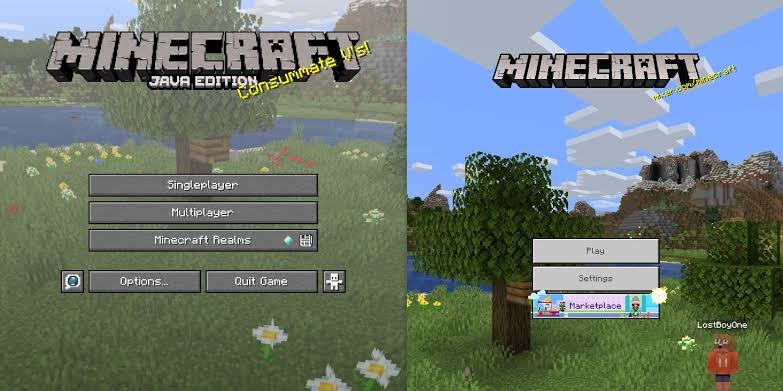
- Verity on Bedrock Edition: Bedrock does not use Java at all.
Frequently Asked Questions
Do I need to install Java to play Minecraft?
Not if you use the official Minecraft Launcher. It bundles its own Java runtime. You only need your own install for third-party launchers, servers, the Fabric .jar installer, or specific older modpacks.
What Java version does Minecraft 1.21.1 need?
Java 21 or newer. Minecraft versions from 1.20.5 through 1.21.11 all use Java 21.
What Java version does Minecraft 26.1 need?
Java 25. This was the first Minecraft version to require it, and newer 26.x releases follow the same requirement.
What Java version does Minecraft 1.20.1 need?
Java 17 or newer.
Can I run an old Minecraft version on the newest Java?
Often yes for vanilla, but older Forge setups, such as Minecraft 1.12.2 modpacks, can crash on newer Java. Use the version the pack recommends.
Why does my launcher say my Java is too old?
The Minecraft version, a loader, or a mod you installed needs a newer Java than the one your launcher is pointing to. Check the chart, install the right version, and select it in your launcher’s profile or instance settings.
Does Minecraft Bedrock Edition need Java?
No. Java is only for Java Edition.