
Litematica Mod Download for Minecraft 26.3 Fabric
Litematica Mod Download: the quick answer
Litematica Mod Download gives you a free client-side schematic mod for Minecraft 26.3 on Fabric. The latest release is version 0.29.1, published 27 September 2026, and it needs MaLiLib installed next to it. You load a building plan and see it as a ghost outline in your world. Press M to open the menu.
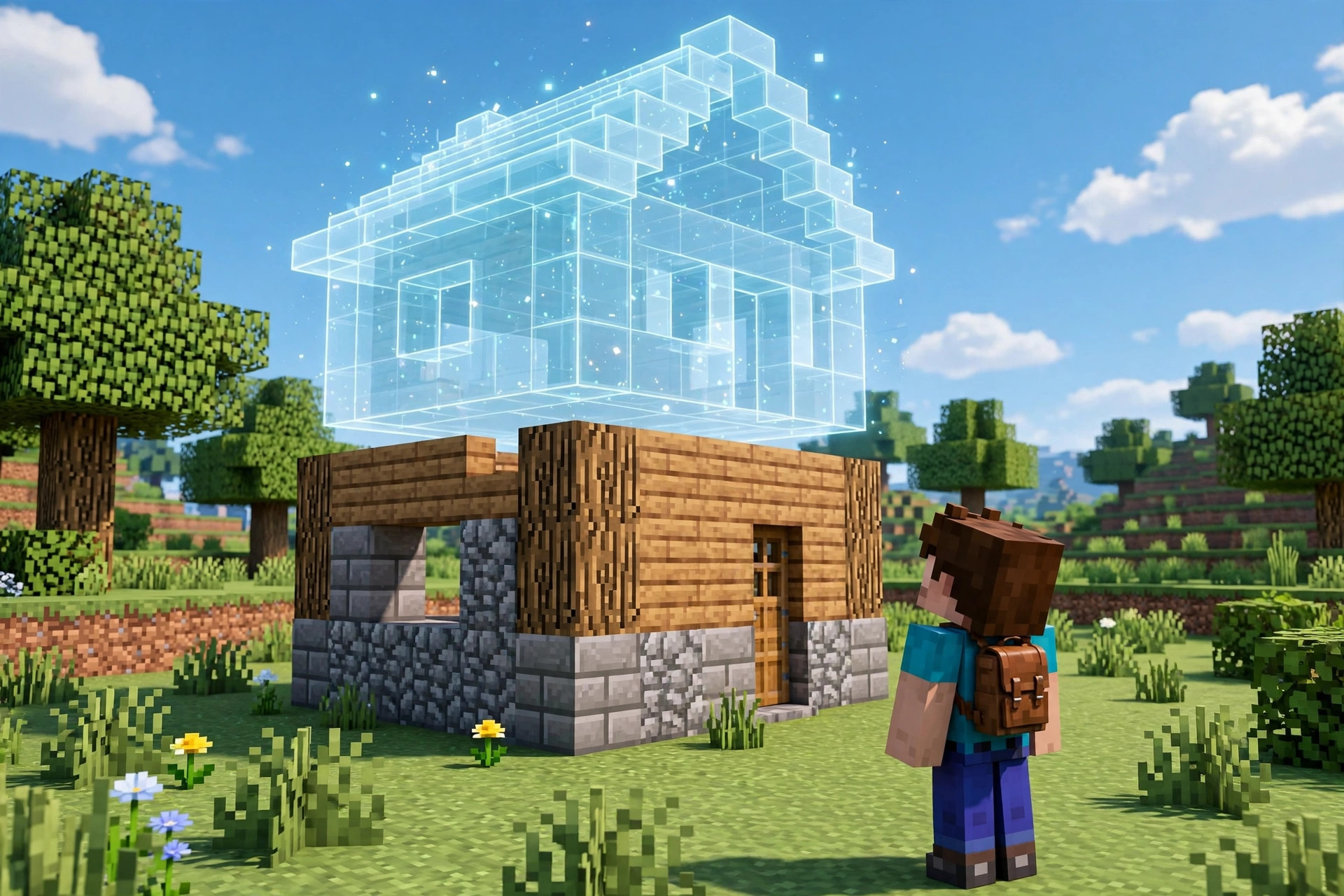
Anyone who has tried to copy a build from a screenshot knows the pain. You count blocks from a picture and guess where the stairs turn. Place a wall one block too far left, and the whole thing is off by the time you reach the roof. Litematica ends that guessing. It draws the finished build in your world as a see-through outline, so you place blocks exactly where the plan says they go. The mod comes from developer masa and has more than 28 million downloads on Modrinth.
What it changes
A schematic is a saved copy of a build. It stores every block with its position and its state in a file. Litematica loads that file and renders it in your world as a ghost. Each block shows as a faint outline exactly where the real block belongs. You walk up to the outline and place a block, and the ghost for that spot disappears. When the outline is gone, the build is done.
You can move the preview around before you start. Put it on flat ground and rotate it until it faces the right way, then nudge it one block at a time until it sits where you want it. On a big build you can hide parts of the preview and show only the layer you are working on.
The material list is the tool that saves the most time after the preview itself. Open it and Litematica counts every block in the schematic. It tells you how many of each block you still need, and it reads your inventory to mark what you already carry. You can export the list to a file and use it as a shopping list before a mining trip. Version 0.29.1 added stackable entities such as item frames to the list.
Easy Place is the mode that makes big builds fast. With Easy Place on, you look at a ghost block and click, and the block goes into the right spot even when there is no solid block next to it to click against. Vanilla Minecraft only lets you place a block against another block. Easy Place removes that limit inside the preview. Some servers restrict it, so check the server rules before you turn it on in a public server.
The schematic verifier compares the schematic with the blocks you placed. It marks every spot where the wrong block went in or a block is missing. On a build with a thousand blocks, that check saves you from tearing down a wall to find one misplaced stair.
You can also save your own builds as schematics. Select a region of your world and save it to a file, then load that file in another world and rebuild the same design there.
Version 0.29.1 fixed loading of Schematica files and vanilla template files that use more than one palette, so plans saved years ago by the older Schematica mod open without errors. The mod reads both .litematic files, its own format, and .schematic files from the older mod.
One thing Litematica does not do is place blocks for you. It has no printer. The preview and the material list are guides, and the verifier is a checker. Your hand still places every block. Extension mods add printer functions, but they are separate downloads by other authors.
Who it is for and who should skip it
This mod is for anyone who builds from plans. If you download schematics or rebuild farms from tutorials, Litematica pays for itself on the first build.
Builders who work freehand will get little from it. If you never open a schematic file, the mod sits idle in your mods folder. The same goes for players on Forge or NeoForge on current Minecraft versions, since the 26.3 builds are Fabric only. Bedrock players cannot use it at all, because it is a Java Edition mod. If your server bans Easy Place outright, the preview and the material list still work. Only skip it entirely if you never build from a plan.
How to install Litematica
1. Install Fabric Loader for Minecraft 26.3 from the official Fabric site and pick the Minecraft 26.3 profile in the installer.
2. Get Litematica 0.29.1 from Modrinth. The file is litematica-fabric-26.3-0.29.1.jar, about 2 MB.
3. Get MaLiLib for Minecraft 26.3 from Modrinth, plus Fabric API for 26.3 if it is not in your mods folder yet.
4. Open the Minecraft launcher, select the Fabric 26.3 profile, and click Play once so the game creates its folders, then close the game.
5. Press Windows + R, type %appdata%\.minecraft\mods, and press Enter. On a Mac, open Finder, press Cmd + Shift + G, and enter ~/Library/Application Support/minecraft/mods.
6. Move the Litematica jar and the MaLiLib jar into the mods folder, plus Fabric API if you downloaded it. Do not unzip any of them.
7. Launch the game with the Fabric 26.3 profile. Press M to open the Litematica menu. If the menu opens, the mod is running.
Schematic files go in a separate folder. Put .litematic and .schematic files in .minecraft/schematics, then open the Litematica menu, pick Schematic Placement, and load the file from the list. If the game crashes on launch, the usual cause is a missing MaLiLib jar or a file built for the wrong Minecraft version. Check the file names first. A Litematica jar named for 26.2 will not load on a 26.3 profile.
Compatibility
The download on this page is Litematica 0.29.1 for Minecraft 26.3 on Fabric. The Modrinth project page lists builds for older Minecraft versions. Version 0.28.8 covers Minecraft 26.2. Version 0.27.14 covers 26.1.2, and version 0.26.16 covers 1.21.11. Match the Litematica version to your Minecraft version exactly, because a build for one release will not load on another.
Litematica needs MaLiLib to run. MaLiLib is a small library by the same developer, and Litematica will not load without it. Get MaLiLib for the same Minecraft version and drop it in the same mods folder. Fabric API is also needed for most Fabric setups.
Current releases are Fabric only. A Forge build exists only for Minecraft 1.12.2. For later Minecraft versions there are only third-party ports such as Forgematica, which are separate projects with their own update schedules. If you play on NeoForge, you need a different schematic tool.
Because Litematica is client-side, the server never sees it and never needs it. You can use it on a vanilla server or a modded server. A few servers block Easy Place through their own plugins, since it places blocks in ways a vanilla client cannot. The preview still works there, and so do the material list and the verifier.
Performance
A large schematic preview renders hundreds of ghost blocks, and that costs frames on a weak computer. A small house plan barely registers. A full base schematic with thousands of blocks can drop the frame rate on a laptop with integrated graphics.
Two hotkeys keep the cost under control. Press M + R to toggle all Litematica rendering off, and press M + G to toggle just the schematic rendering while the menus and HUDs stay on. Hide the preview when you are not building. Splitting a big build into smaller schematics helps too, because you only render the part you are working on.
Pairing Litematica with Sodium keeps the frame rate up. Sodium is the Fabric performance mod most players already run. The one combination to avoid is shaders. Litematica rendering does not work properly with shaders in Minecraft 1.21.3 and later, even with Iris, so turn shaders off while you build with a preview on screen. If the preview looks wrong, shaders are the first thing to switch off.
Troubleshooting
The mod does not load
The most common cause is MaLiLib missing from the mods folder. Add the MaLiLib jar for Minecraft 26.3 and launch again. A Fabric API jar built for a different Minecraft version causes the same failure, so check that file name too. If the game loads but M does nothing, another mod may have taken the M hotkey. Open the controls screen and bind the menu to a free key.
Easy Place does nothing when I click
Easy Place is off by default in some configs. Open the Litematica menu with M, go to the config screen, and turn on Easy Place mode. If it still does nothing on a server, the server may block it. Test it in a singleplayer world to confirm the mod itself works. Version 0.29.1 fixed a few edge cases where Easy Place clicks failed, so update to 0.29.1 before you dig into server settings.
A schematic file does not appear in the load list
The file must sit in .minecraft/schematics. Files left in Downloads or on the desktop will not show up. Litematica loads .litematic and .schematic files, and a file saved with a different extension will not list. If a .schematic file from years ago fails to open, update to 0.29.1, which fixed multi-palette loading for those files.
The game slows down with a big preview on screen
Hide the preview with M + R when you are not placing blocks, or use M + G to hide just the schematic while the menus stay up. Split the build into smaller schematics and load one section at a time. Pairing Litematica with Sodium helps on most computers.
The preview looks wrong with shaders on
Litematica rendering does not work properly with shaders in Minecraft 1.21.3 and later, even with Iris. Turn shaders off while you use the preview.
FAQ
Is Litematica free?
Yes. Litematica is free to download and use, and no part of the mod is locked behind a payment.
Does Litematica work on servers?
Yes. It is client-side, so it works on any server you can join with mods. The server does not need the mod installed. Some servers restrict Easy Place, so check the rules first.
Do I need MaLiLib?
Yes. MaLiLib is a required dependency, and Litematica will not load without it. Get MaLiLib for the same Minecraft version and put it in the same mods folder.
Can Litematica load Schematica files?
Yes. Litematica loads .schematic files from the old Schematica mod, and version 0.29.1 fixed loading for files with more than one palette. It also loads .litematic files, its own format.
Does Litematica work with Forge or NeoForge?
No. The current releases are Fabric only. A Forge build exists only for Minecraft 1.12.2. Third-party ports such as Forgematica cover later versions.
Does Litematica place blocks for me?
No. Litematica has no printer, and the developer has no plan to add one. The mod shows you where each block goes, and you place every block yourself. Separate extension mods add printer functions.
Verdict
Litematica Mod Download is the right call if you build from plans. The ghost preview turns a guessing game into a checklist, and the material list tells you what to gather before you start. Easy Place cuts the time a big build takes by a wide margin. It is a single small file plus MaLiLib. It takes five minutes to install, and it is free. If you build from plans or copy designs between worlds, install it. It also fits creative servers where players share schematics. Builders who work freehand will not need it, but anyone who has rebuilt the same roof three times will wonder how they played without it.
Minecraft 26.3 · Fabric · v0.29.1 · Official download


