Waystones Mod Download
Waystones Mod Download for Minecraft 26.3 Fabric
Vanilla Minecraft has no fast travel. If your base sits two thousand blocks from a village you like, every trip back is a walk, a boat ride, or an elytra flight. Waystones Mod Download for Minecraft 26.3 Fabric solves the boring part of that problem. You set down a stone at each place you visit often, and you jump between them when you need to be somewhere else.
This article covers version 26.3.0.3, released on 2026-11-15, for Minecraft 26.3 on Fabric. NeoForge and Forge builds of the same version sit on the same Modrinth page. Place a waystone and activate it once. After that you can return to it with a Warp Scroll or a rechargeable Warp Stone, or hop straight from one activated waystone to another. Waystones has about 28 million downloads on Modrinth.
Minecraft 26.3 · Fabric · v26.3.0.3 · Official download
What Waystones changes
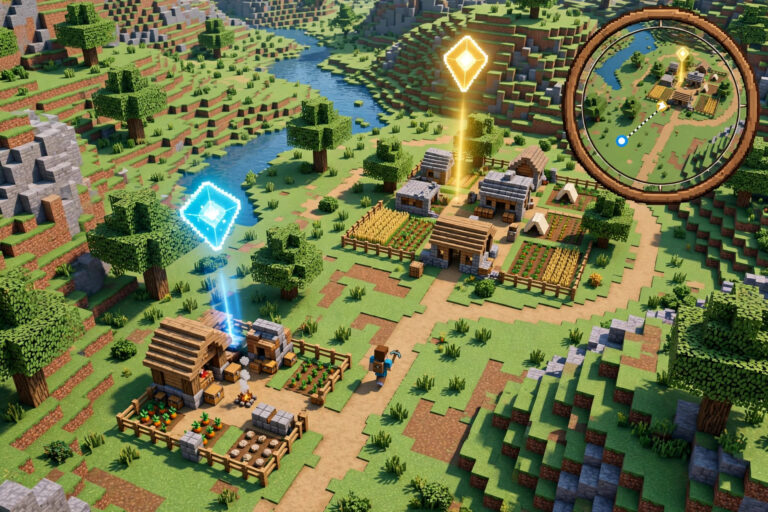
Waystones adds blocks you can return to once you have activated them. A waystone is a stone marker you place in the world. Walk up to it, activate it, and it joins your list of known waystones. From then on you can travel back to it from anywhere, as long as you have a way to make the jump. Once a waystone is activated it also gives off light, so a stone at the end of a dark path doubles as a lamp.
There are three ways to travel. A Warp Scroll takes you to a waystone you pick. A Warp Stone does the same job and can be recharged, so it keeps working trip after trip. You can also stand at one waystone and hop straight to another, with no item in hand at all. A Warp Plate is a floor plate you step on to travel to a waystone, and it suits entrances, farms, and any spot you pass through on foot.
Waystones can be made global, so every player on a server sees them. That makes them a good fit for community hubs, spawn points, and shared trading posts. A new player joins, walks to the global stone once, and can return to it from then on. The mod can also add a teleport button to your inventory screen. With it turned on, you can open your inventory and jump to a waystone without carrying a Warp Scroll or a Warp Stone. The button is optional and can be switched off in the config.
A waystone structure generates in villages, so you will often find one already standing when you arrive at a new village. It hands you a return point for the trading hall you plan to build there. The structure only appears in villages that generate after you install the mod, so villages you already explored will not gain one.
Waystones Mod Download: who it is for and who should skip it
This mod is for anyone who plays Survival in a world they plan to keep. If your base, your village, your mineshaft, and your nether portal sit far apart, Waystones turns every return trip into a single click. It is at its best on a server, where global waystones replace /warp and /home commands and keep teleporting inside the game instead of in chat. Adventure map makers get the same benefit: a stone at each checkpoint, and players can move between them without commands.
Players who like the walk will not need it. If you play a small world where everything sits within a few hundred blocks, or you enjoy the journey as much as the destination, skip it. Purists who want zero teleporting should skip it too. Bedrock players cannot use it at all, because it is a Java Edition mod.
How to install Waystones
1. Install Fabric Loader for Minecraft 26.3 from the official Fabric site and pick the Minecraft 26.3 profile in the installer.
2. Get Waystones 26.3.0.3 from the official Modrinth page. The file is waystones-fabric-26.3-26.3.0.3.jar, about 1.2 MB.
3. Get Fabric API, Balm, and Shogi from Modrinth. All three are required for the Fabric build, and Shogi is easy to miss because it only became required on Minecraft 26.1 and above.
4. Open the Minecraft launcher, select the Fabric 26.3 profile, and click Play once so the game creates its folders, then close the game.
5. Press Windows + R, type %appdata%\.minecraft\mods, and press Enter. On a Mac, open Finder, press Cmd + Shift + G, and enter ~/Library/Application Support/minecraft/mods.
6. Move the Waystones jar and the three dependency jars into the mods folder. Do not unzip any of them.
7. Launch the game with the Fabric 26.3 profile. Check the Mods menu on the title screen to confirm Waystones 26.3.0.3 is listed, then join a world and place a waystone to test it.
If you play on NeoForge instead, grab the NeoForge file waystones-neoforge-26.3-26.3.0.3.jar plus Balm and Shogi for NeoForge. A Forge build of the same version is available too. If the game crashes on launch, the usual cause is a missing dependency: check the crash report for the words Fabric API, Balm, or Shogi, and add whichever jar is missing.
Compatibility
The download on this page is Waystones 26.3.0.3 for Minecraft 26.3 on Fabric. The NeoForge file is waystones-neoforge-26.3-26.3.0.3.jar, and a Forge build of the same version sits on the same Modrinth page. Version 26.3.0.3 updated the network version, so clients and servers must update together. A server still on 26.3.0.2 will not work with a 26.3.0.3 client, so update both sides on the same day.
Dependencies depend on your loader. The Fabric build needs Fabric API, Balm, and Shogi. The NeoForge build needs Balm and Shogi. Balm and Shogi are small library mods that Waystones uses for shared code. Get the 26.3 build of each one for your loader and drop them in the mods folder next to Waystones.
In multiplayer, waystones work on servers that run the mod. In singleplayer you just install it in your own game. It has no Bedrock version. If you remove the mod, the waystone blocks leave the world with it, so back up your world before you uninstall anything that adds blocks.
Performance
Waystones does almost nothing until you travel. The mod adds a few blocks and a menu, and neither costs frames while you play. Version 26.3.0.2 fixed a real lag source: player profiles were being fetched on the main thread, which caused lags and timeouts on servers. That fix is in 26.3.0.3 as well. The teleport itself is instant. If your game runs slow with Waystones installed, the cause is somewhere else in your pack, because this mod is not the one eating your frames.
Troubleshooting
The game crashes on startup after adding Waystones
A startup crash after adding a new mod is almost always a missing dependency. Check the crash report for the words Fabric API, Balm, or Shogi. Whichever name appears is the jar you forgot. Put that jar in the mods folder next to Waystones and launch again. Shogi is easy to miss, because it only became required on Minecraft 26.1 and above.
A waystone does nothing when I use it
A waystone only works after you activate it. Walk up to a waystone you placed and activate it to add it to your list. A stone you have never activated will not appear as a travel target. If you are on a server, check that the server runs Waystones. Waystones only work in multiplayer on servers that have the mod installed.
Warp Scrolls or Warp Stones do nothing
Both items need at least one activated waystone to target. If your list is empty, check which waystones you have activated so far. A Warp Stone is rechargeable, so if it stops working, recharge it and try again.
No waystone appears in a village I found
The waystone structure only generates in villages that load for the first time after you install the mod. Villages you already visited keep the layout they generated with. Explore in a new direction until you reach fresh chunks, and the next village you find should have one.
FAQ
Is Waystones free?
Yes. It is free on Modrinth, and the download from the button above costs nothing. Modrinth never asks for payment or personal info for a mod file.
Does Waystones work on servers?
Yes. It works in multiplayer as an alternative to /warp and /home commands, and global waystones let every player share the same travel points. The server needs the mod installed for waystones to work there.
Can I use Waystones with a minimap mod?
Yes. Waystones changes travel, and a minimap changes what you see on screen, so the two do not conflict. Many players pair Waystones with Xaero’s Minimap to mark waystone spots on the map as well as in the game.
Does Waystones work on Bedrock?
No. Waystones is a Java Edition mod. Builds exist for Fabric and NeoForge, plus a Forge build of the same version. Bedrock players cannot install it, and there is no official port.
What is the difference between a Warp Scroll and a Warp Stone?
A Warp Scroll takes you to a waystone you pick. A Warp Stone does the same job and can be recharged, so it keeps working trip after trip. If you travel a lot, the stone is the better tool to carry. If you travel rarely, scrolls are fine.
Verdict
Waystones Mod Download for Minecraft 26.3 is worth installing if you play Survival in a world you plan to keep. The setup takes a few minutes and the dependencies are small. The payoff starts the first time you skip a long walk home. Global waystones are the part that sells it for servers, and the inventory button is the part that sells it for solo players who hate digging through their hotbar. The one thing to watch is dependencies. Fabric players need Fabric API, Balm, and Shogi, and Shogi is the one people forget. Get those three jars in place and the mod runs without fuss. Update your server to 26.3.0.3 at the same time, because the new network version means old and new builds cannot mix.