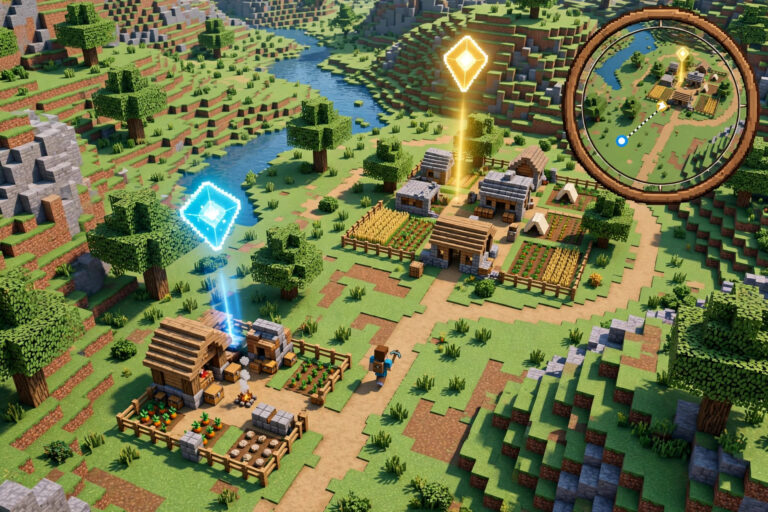
Nature’s Compass Mod Download
Nature’s Compass Mod Download for Minecraft 26.3 NeoForge
Vanilla Minecraft never tells you where a biome is. You want a cherry grove for pink wood, or a mushroom field for mooshrooms, and the only way to find one is to walk in a direction and hope. That walk can take an hour, and it often ends at a biome you already have. Nature’s Compass Mod Download for Minecraft 26.3 NeoForge replaces the hope with a needle. Pick the biome you need, and the compass points at the nearest one.
This article covers version 26.3-3.3.1, released on 2026-10-04, for Minecraft 26.3 on NeoForge. The Fabric build is numbered 26.3-2.5.1. Hold the compass, right-click, and a screen opens with a list of biomes. Search for the one you want, select it, and the needle swings to point at the closest match. The mod has no dependencies, and Modrinth lists about 27 million downloads for the project.
Minecraft 26.3 · NeoForge · v26.3-3.3.1 · Official download
What Nature’s Compass changes
Nature’s Compass adds a compass that locates biomes instead of pointing north or at spawn. Hold it, right-click, and a screen opens with a list of biomes. Search for the one you want by name or scroll the list to see what exists in your world. Selecting a biome sets the needle to it. The screen also shows info about a biome, so you can check what you are looking for before you commit to the walk.
Once a biome is found, the HUD shows information about it. You can see at a glance which biome the needle is tracking, without opening the compass screen again. That helps on long walks, when you want to confirm you are still heading for the right place and not a biome with a similar name.
When no biome is selected, the compass points at world spawn, like a vanilla compass. Shift-right-click resets it back to that state. That reset matters when you finish one search and want a clean compass again, instead of a needle still aimed at a biome you no longer need.
The mod supports every registered biome, which covers all vanilla biomes and any biome a mod adds. If you play with a world-gen mod such as Biomes O’ Plenty, its biomes show up in the same search list. That is the part that makes the mod worth keeping in a big pack. Vanilla biomes are easy to find with enough walking. Modded biomes are not, because you often do not know what they look like or where they spawn.
Nature’s Compass Mod Download: who it is for and who should skip it
This mod is for anyone who explores. I use it most at the start of a new world. My base goes up near spawn, and then I need a desert for sand, or a jungle for bamboo, and I do not want to spend the first evening wandering. The compass turns that search into a straight walk in a known direction. It is one of the first mods I add to a new pack, right next to a minimap. Pack players get the most from it, because modded biomes are the hardest to find by walking.
Players who enjoy blind wandering should skip it. If the search is half the fun for you, a compass that points at the answer takes that away. The same goes for players on Bedrock, since this is a Java Edition mod. If you only play in one small area and never need a new biome, the mod will sit unused in your inventory.
How to install Nature’s Compass
1. Install NeoForge for Minecraft 26.3 from the official NeoForge site. Run the installer and pick the Minecraft 26.3 profile.
2. Get Nature’s Compass 26.3-3.3.1 from the official Modrinth page. The file is NaturesCompass-26.3-3.3.1-neoforge.jar, about 220 KB.
3. Open the Minecraft launcher, select the NeoForge 26.3 profile, and click Play once so the game creates its folders, then close the game.
4. Press Windows + R, type %appdata%\.minecraft\mods, and press Enter. On a Mac, open Finder, press Cmd + Shift + G, and enter ~/Library/Application Support/minecraft/mods.
5. Move the Nature’s Compass jar into the mods folder. Do not unzip it. The mod has no dependencies, so this one jar is the whole install.
6. Launch the game with the NeoForge profile. Check the Mods menu on the title screen to confirm Nature’s Compass 26.3-3.3.1 is listed, then join a world.
Craft the compass from a compass plus saplings and logs, hold it, and right-click to open the biome search. If you play on Fabric instead, grab the Fabric build, version 26.3-2.5.1, from the same Modrinth page. The version numbers differ between loaders because the two builds are numbered separately, so do not expect them to match. If the game crashes on launch, the usual cause is a wrong file: a NeoForge jar in a Fabric mods folder will crash the game. Check the file name first.
Compatibility
The download on this page is Nature’s Compass 26.3-3.3.1 for Minecraft 26.3 on NeoForge. The Fabric build is version 26.3-2.5.1, with the file NaturesCompass-26.3-2.5.1-fabric.jar. Pick the file that matches your loader. The version numbers differ between loaders because the two builds are numbered separately, so do not expect them to match.
The mod has no dependencies. You install the single jar and it works. It has no Bedrock version. In singleplayer you install it in your own game. On a server, the server needs it installed for the compass item to exist in that world. If you remove the mod, the compass item leaves the world with it, so back up your world before you uninstall anything that adds items.
Version 26.3-3.3.1 fixed a crash on startup with NeoForge 26.3.0.37-beta and later. If you run a newer NeoForge build and the game crashes before the title screen, make sure you are on 26.3-3.3.1 and not the older 26.3-3.3.0.
Performance
Nature’s Compass does almost nothing until you search. The mod adds one item and a menu, and neither costs frames while you play. A search can take a while when the maximum search distance is set high, because the mod has more ground to check. Lower the maximum search distance in the config to keep results closer to home. If the nearest match is still far away, that is a real answer: the biome does not generate near you, and the compass is telling you the truth. Outside of a search, the mod is invisible to your frame rate.
Troubleshooting
The compass points at spawn and never moves
That is the default state when no biome is selected. Hold the compass and right-click to open the biome search, then pick a biome from the list. The needle only moves once a biome is selected. If you selected one and it still points at spawn, shift-right-click to reset the compass and select the biome again.
The biome I want does not appear in the search list
Check the config first. A biome on the blacklist will not show up in search results. Remove it from the blacklist and try again. Also check that the biome exists in your world. If you are hunting a modded biome, confirm the mod that adds it is installed and loaded.
The search takes a long time or finds a biome far away
A search can take a while when the maximum search distance is set high, because the mod has more ground to check. Lower the maximum search distance in the config to keep results closer to home. If the nearest match is still far away, that is a real answer: the biome does not generate near you, and the compass is telling you the truth.
The game crashes on startup after adding the mod
Nature’s Compass has no dependencies, so a startup crash after adding it usually means a wrong file. Confirm you downloaded the build for your loader: the NeoForge jar for NeoForge, and the Fabric jar for Fabric. A NeoForge jar in a Fabric mods folder will crash the game on launch. If the file is right, check that every other mod in the folder is also a 26.3 build.
FAQ
Is Nature’s Compass free?
Yes. It is free on Modrinth, and the download from the button above costs nothing. Modrinth never asks for payment or personal info for a mod file.
Does Nature’s Compass work with modded biomes?
Yes. It supports all registered biomes, which includes biomes added by mods. If you play with Biomes O’ Plenty, its biomes appear in the same search list as vanilla biomes.
Can I use Nature’s Compass on a server?
It works in singleplayer and on servers that run the mod. In singleplayer you install it in your own game. On a server, the server needs it installed for the compass item to exist in that world.
What is the difference between Nature’s Compass and Explorer’s Compass?
Both come from the same author. Nature’s Compass locates biomes. Explorer’s Compass locates structures. If you need a village or a temple, you want Explorer’s Compass. If you need a biome, you want this one. Many players install both and keep one of each in their pack.
Does Nature’s Compass work on Bedrock?
No. Nature’s Compass is a Java Edition mod, with builds for NeoForge and Fabric. Bedrock players cannot install it, and there is no official port.
Verdict
Nature’s Compass Mod Download for Minecraft 26.3 is worth installing if you explore in a world you plan to keep. It answers one question and it answers it well. It stays out of your way the rest of the time. The search screen is simple and the HUD tells you what the needle is tracking. The config covers the two settings you will actually touch: the blacklist and the search distance. Pair it with Xaero’s Minimap and you have the full explorer setup: one mod to find the biome, and one mod to remember the way back.