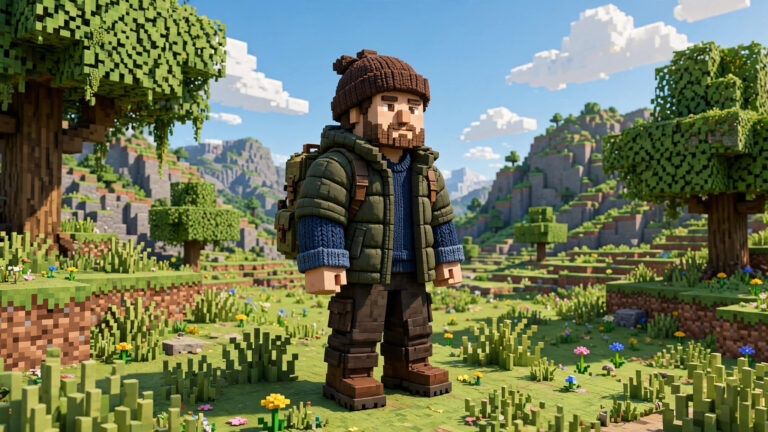
Biomes O Plenty mod download for Minecraft 26.3 NeoForge
You’ve spawned into the same plains-and-forest start for the fortieth time, and the world has stopped surprising you. Happens to everybody who plays long enough. A new biome pack is the usual fix, but on a fresh version the real problem is finding one that matches your loader before you waste an evening on a crashed launch. That’s what this article is for. If you’re searching for a Biomes O Plenty mod download for Minecraft 26.3 NeoForge, I’ll cover what version 26.3.0.0.15 adds and leaves alone, plus the two dependencies that have to sit next to it in your mods folder. Short version up front: it’s a terrain mod, with more than 50 biomes and no new mobs. I’ll also say plainly what I couldn’t confirm.
Minecraft 26.3 · NeoForge · v26.3.0.0.15 · Official download
What it changes in game
The headline is the biome count. More than 50 of them, and they aren’t all above ground. The fact block says they’re spread across the Overworld, the Nether and the End, so even the dimensions you only visit for resources get a different look. Plenty of terrain mods stop at the Overworld. This one doesn’t.
Each biome comes with its own supporting cast: new trees, plants, flowers and building blocks. That’s where you’ll feel it day to day. You walk into somewhere new, and the vegetation is different. The wood you chop is a different wood. The blocks you can make from it are different too. For builders, that’s a bigger palette. For everyone else, it’s just a world that looks less like the last one you played.
Now the part people skip. It doesn’t add mobs. No bosses either. And no new mechanics. The fact block is blunt about this: it’s a terrain mod, and that’s all it is. So the rules of the game stay exactly where they were. You mine the way you mine, you fight what you already fight, and your farms and redstone don’t care that the scenery changed.
I like that, honestly. If you’ve got a pack with a lot of moving parts, a mod that only changes where you play and not how you play is one less thing to learn.
What I can’t give you is a biome list. The sheet has a count and a category of content, not names. So I’m not going to describe any single biome, because I’d be making it up.
Who it suits and who should skip it
So who’s it for? It suits the player who’s bored of the world they keep spawning into. Same plains, same forests, a hundred hours in and nothing new to look at. More than 50 biomes across the Overworld, Nether and End is a real fix for that, and it doesn’t ask you to learn anything new to get it.
It also suits builders. The fact block says the mod adds new trees and building blocks, and a bigger material palette is the thing most builders run out of first. And if you’re stacking a big pack, a terrain-only mod is easier to live with, because it adds no mobs and no new mechanics. When something breaks, you’ve got fewer suspects.
Skip it if you want the game itself to feel different. No new enemies, no new systems, nothing that changes what you do. It changes where you do it. If that sounds thin to you, a gameplay mod is what you’re after, not this.
Skip it too if you can’t or won’t install GlitchCore and TerraBlender alongside it. Both are listed dependencies, so it’s a package deal.
Servers are a question mark. My notes don’t cover multiplayer or client install requirements, so ask whoever runs yours before you commit.
Install guide: Biomes O Plenty mod download for Minecraft 26.3 NeoForge
If it sounds like your kind of mod, here’s how to set it up. Start with a fresh profile. Don’t test this on your main save. Set it to NeoForge and Minecraft 26.3, then launch once so the game creates its folders.
The file you want is BiomesOPlenty-neoforge-26.3-26.3.0.0.15.jar. Read the name before you do anything else. “neoforge” is the loader, “26.3” is the game version, and “26.3.0.0.15” is the mod’s own version. If any part doesn’t match your profile, stop and fix that first.
Now the dependencies. The fact block lists two, GlitchCore and TerraBlender, and both have to be in the mods folder next to the main jar. Here’s the gap: I don’t have their file names or the exact versions that pair with 26.3.0.0.15. So I can’t give you those. Match both to Minecraft 26.3 and NeoForge the same way you matched the main file, and check the mod’s own page for the pairing if it lists one.
Then the steps. Close the game. Open your profile’s mods folder. Drop in the Biomes O’ Plenty jar, GlitchCore and TerraBlender. Launch the NeoForge 26.3 profile and create a new world.
What not to do: don’t put a jar built for another loader or another game version in there, don’t skip either dependency, and don’t drop this into a world you care about before you’ve backed it up. Whether it works on an existing world is something my notes don’t answer.
How to confirm it loaded: I don’t have a verified in-game check for this version, so I won’t invent a menu or a keybind. The safest signs are the obvious ones. The game reaches the title screen without crashing, and the new world generates terrain you haven’t seen before.
Existing worlds, servers, compatibility
That brings up the question most people ask next. The fact block says what the mod adds and what it needs. It says nothing about what happens to a world you’ve already played in.
So I can’t tell you whether new biomes show up in chunks you haven’t explored yet, or whether land you’ve already generated stays as it is. Those are the first two things I’d want answered, and neither is. Until you have a source, assume nothing about your old map.
What I can give you is the backup rule, and it doesn’t depend on any mod facts. Copy your world folder before you add anything to it. And if you do test on an old save, test on the copy.
Servers are the same story. The jar is named for NeoForge and Minecraft 26.3, so the version match is the one thing the file name does give you. Anything running it should be on that same loader and game version. Whether players need the mod on their own client, I don’t know. Ask whoever runs the server.
Removal is the last gap. I don’t know what happens to a world if you take the mod out later, and I won’t guess. Keep that backup.
Compatibility with other mods isn’t in my notes either. Add things one at a time.
Performance
Same goes for performance. The fact block has nothing on it. No FPS numbers, no memory figures, no word on world generation speed, and no mention of anyone testing this version. So I’m not going to tell you it’s light, and I’m not going to tell you it’s heavy.
What I can say is what the mod adds. More than 50 biomes, plus new trees, plants, flowers and building blocks. It adds no mobs and no new mechanics. Whether that content costs you anything on your hardware, I don’t know, and neither does the sheet.
Here’s what I’d do. Make a fresh profile, load a new world, and watch how it feels on your own machine. Then add it to your real pack. That’s your test, not mine.
Troubleshooting
The fact block has no crash reports, no error messages and no known-issues list. So I can’t quote you a log line or promise a specific fix. What I can do is cover the problems the block gives me a cause for, and be straight about the rest.
The game won’t launch after you add the jar. The most likely cause is a mismatch. The file is BiomesOPlenty-neoforge-26.3-26.3.0.0.15.jar, built for NeoForge and Minecraft 26.3. If your profile runs a different loader or game version, that’s your problem. Check the profile first, then the filename. Fix it by matching all three.
A dependency is missing. The block lists GlitchCore and TerraBlender as required. If only the main jar is in your mods folder, put both next to it. I don’t have their file names or versions, so match them to Minecraft 26.3 and NeoForge. Whether a missing one produces a clear error message, I can’t say.
A dependency is the wrong version. Same idea, one step down. A library built for another game version is as broken as a main mod built for one. Check the mod’s own page for the exact pairing, since the block doesn’t give one.
The world looks the same as before. I don’t know whether the mod changes land you’ve already explored, so don’t assume it will. Try a brand new world and see if the terrain is different there.
If none of that fixes it, strip the pack back to a fresh profile with just these three jars. Add everything else one at a time.
FAQ
Does it add new mobs or bosses?
No. The fact block says it adds no mobs, no bosses and no new mechanics. It’s a terrain mod.
How many biomes does it add?
More than 50. They’re spread across the Overworld, the Nether and the End. I don’t have a list of names, so I can’t tell you what any of them are called.
What else comes with the biomes?
New trees, plants, flowers and building blocks. That’s the rest of what the fact block says it adds.
What do I need installed with it?
GlitchCore and TerraBlender. Both are listed as dependencies, so both go in the mods folder next to the main jar. I don’t have their file names or compatible versions, so match them to Minecraft 26.3 and NeoForge.
Which version is this?
Biomes O’ Plenty 26.3.0.0.15, for Minecraft 26.3 on NeoForge. The file is BiomesOPlenty-neoforge-26.3-26.3.0.0.15.jar.
Can I add it to an existing world?
I don’t know. The fact block doesn’t say, so I won’t guess. Back up your world first, and test on the copy.
Verdict
For the Biomes O Plenty mod download for Minecraft 26.3 NeoForge, my call is yes, with conditions.
Install it if you want a bigger, more varied world and you don’t want the rules of the game touched. More than 50 biomes across the Overworld, Nether and End, plus new trees, plants, flowers and building blocks, is a lot of content for a mod that adds no mobs, no bosses and no new mechanics.
The conditions are simple. Run NeoForge on Minecraft 26.3. Put GlitchCore and TerraBlender in the mods folder next to BiomesOPlenty-neoforge-26.3-26.3.0.0.15.jar. Start with a fresh world, and back up anything you care about first.
Skip it if you wanted new gameplay. This changes where you play, not what you do.