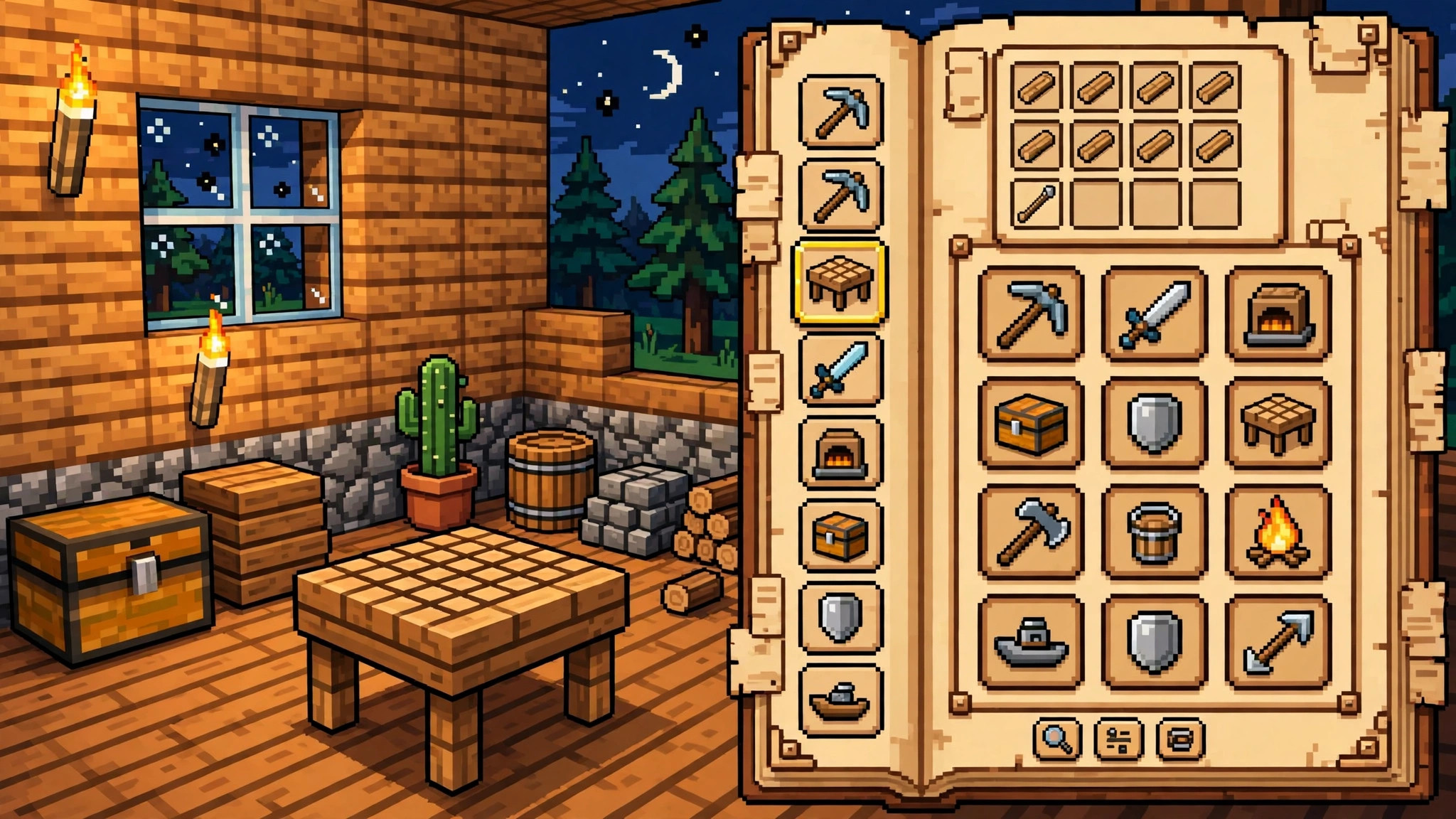
JEI Mod Download for Minecraft 26.3 NeoForge
JEI Mod Download for Minecraft 26.3 NeoForge
You place a machine block in a heavy pack and have no idea what it wants as input. So you alt-tab to a wiki. The page is for an older version, and the recipe it shows isn’t the one your pack uses. Wrong page, wrong version, and ten minutes gone.
A recipe viewer fixes that, and Just Enough Items is the one this page is about. If you’re looking for a JEI mod download for Minecraft 26.3 on NeoForge, here’s what gets answered before you click anything. Will version 31.14.0.72 run on your setup? What else do you need installed with it? Does your modpack already include it? And how do you add it without breaking a world? Short answers are all below.
Minecraft 26.3 · NeoForge · v31.14.0.72 · Official download
What does Just Enough Items change in your game?
Open your inventory and there’s a new panel sitting beside it. It lists every item in your game, and you can scroll it, click through it, and search it. That panel is the change. Everything else hangs off it.
Hover an item and press R, and you get the recipes that make it. Press U instead and you get its uses, meaning every recipe where that item is an ingredient. Those are two different questions, and JEI answers both without you leaving the game. Machine recipes show up the same way, so a processing block that stumped you now has its inputs laid out on screen.
Inside a recipe, there’s a [+] button. Click it and the ingredients move into the crafting grid for you. If you’re crafting something with a long ingredient list, that saves a pile of clicking.
Press A on an item to bookmark it. I’d bookmark whatever you’re building toward, so it stays one click away while you go gather materials.
The search box takes filters too. Type @ followed by a mod name and the list narrows to that mod’s items. Type # followed by a tag and you filter by tag instead. In a pack with a lot of similar-looking items, the @ filter is the quickest way to cut the noise.
One thing worth knowing: JEI shows the pack’s real recipes, as configured. If a pack author rewrote how something is crafted, you see the rewritten recipe, not the vanilla one.
And that’s the full list. It adds no items and no blocks. Your world looks the same, plays the same, and has the same recipes. You just stop guessing.
How do you use JEI once it’s running?
Four keys cover most of it. Learn those and you’re done.
Hover an item in the panel or in your inventory and press R. That opens the recipes that make it. Press U on the same item and you see its uses instead, meaning the recipes that take it as an ingredient. R is for “how do I make this.” U is for “what can I do with this stack I just picked up.”
Say you want something with a long ingredient list. Open a crafting recipe for it, then click the [+] button. JEI moves the ingredients into the crafting grid for you.
Press A on an item to bookmark it. Do that for whatever you’re working toward, then go gather materials.
To find things fast, click the search box and type @ plus a mod name to see only that mod’s items. Type # plus a tag to filter by tag.
If the panel disappears, press O. That toggles the overlay on and off, and it’s easy to hit by accident.
Does JEI work with Minecraft 26.3 and NeoForge?
Yes. This build is version 31.14.0.72, made for Minecraft 26.3 on NeoForge, and the file is jei-26.3-neoforge-31.14.0.72.jar. Check all three against your profile before you add anything. A 26.2 jar is not a 26.3 jar, even though the names look almost identical, and a Forge jar on a NeoForge profile will crash on launch.
There’s no Fabric build. If you play on Fabric, Roughly Enough Items is the mod to look at instead.
What else do you need installed with it?
The Modrinth API lists MezzConfig as a required dependency for this build. MezzConfigGUI is listed as optional. So you need MezzConfig in your mods folder next to JEI, and MezzConfigGUI is up to you. You may run into a guide that says JEI has no dependencies. That doesn’t match the listing for this build, so check the dependency list on the official Modrinth page when you get the file.
Do you need it on the server?
No. JEI is client-side. It works on any server with nothing installed on the server end, so you can join and run it on your own machine only.
On modded servers, JEI shows the server’s recipes. If the server changed how something is crafted, you see the changed recipe, not the one your local game would have used.
One more thing. Most modpacks already include JEI, and a second copy causes a duplicate-mod error. Check your mods folder for a jei file first.
How do you install JEI without breaking your world?
Start by checking your mods folder for a file with jei in the name. Most modpacks already ship with JEI, and a second copy gives you a duplicate-mod error that stops the game from starting. If you find one, you’re done. Don’t add another.
If the folder is clear, close the game first. Then back up your world. JEI adds no items or blocks, so the risk to a save is low, but a backup takes a minute and I never skip it before touching mods.
Next, check that your profile is set to NeoForge on Minecraft 26.3. A Forge jar on a NeoForge profile will fail, and so will a 26.2 jar on 26.3.
Get the file from the official Modrinth page. You want jei-26.3-neoforge-31.14.0.72.jar, plus MezzConfig, which the Modrinth API lists as required for this build. MezzConfigGUI is optional, so grab it only if you want it.
Put the JEI jar and the MezzConfig jar in your mods folder. If you downloaded MezzConfigGUI, it goes in the same place. Launch the game and load into your world.
You don’t need a fresh world. JEI doesn’t add anything to the save itself, so an existing world should load the same as before.
If the game crashes on launch, compare the file name against your profile first. That fixes most of these. If the game loads but there’s no panel, press O. The overlay toggles with that key, and it’s easy to hit by accident.
No server install is needed either, since JEI is client-side.
Will JEI slow your game down?
I can’t give you a number. I have no frame rates or load-time measurements for this build, and I haven’t tested it myself, so I’m not going to make one up.
What I do have is Modrinth’s description. It says JEI is built for stability and performance, and that it’s a recipe viewer only. That second part matters. It adds no items, no blocks, and nothing to the world, so it isn’t doing anything beyond showing you items and recipes in a panel.
That’s a fair description of the mod’s scope. It’s not a benchmark, though, and I’d treat it that way. If you’re running a huge pack on a weak machine, install it and watch how the game feels. The O key hides the overlay if you want to rule the panel out as the cause of anything.
On stability, the crashes tied to this mod are all version mismatches. A Forge jar on a NeoForge profile will crash on launch, and so will a 26.2 jar on 26.3. Match the file name to your profile and that problem goes away. A duplicate-mod error is a separate issue, and it comes from having two copies of JEI in the same folder.
What do you do when JEI crashes or the panel is missing?
I only have a short set of known problems for this build, so that’s what I’ll cover. I won’t pad it with fixes I can’t back up.
The game crashes on launch. This usually comes down to a version mismatch. Two cases come up. One is a Forge jar sitting on a NeoForge profile. The other is a 26.2 jar on a 26.3 install. Look at the file name and compare it to your profile. For this build it should read jei-26.3-neoforge-31.14.0.72.jar, with 26.3 and neoforge both matching what you’re running. Swap in the right file and the crash should stop.
You get a duplicate-mod error. This happens when a second copy of JEI is in the game, since most modpacks already include it. Open the mods folder, look for files with jei in the name, and make sure only one is there. Remove the extra before you launch again.
The game loads but there’s no panel. Press O. That key toggles the overlay, and it’s easy to hit by accident. The mod usually isn’t broken, the panel is just hidden.
Anything past those three, I can’t tell you. I don’t have other crashes or fixes for this build, so if something else goes wrong, the official Modrinth page is the next place to look.
Who should skip JEI, and what does it not do?
Skip it if you’re on Fabric. There’s no Fabric build, and Roughly Enough Items is the mod to look at instead. A NeoForge jar won’t load on a Fabric profile, so don’t try to force it.
Skip it if your modpack already includes it. Most do, and a second copy causes a duplicate-mod error. Check the mods folder before you download anything.
Skip it, or at least leave the panel hidden, if you want a strict survival run where looking up recipes feels like cheating by your own rules. That’s a taste call, and the O key hides the overlay if you change your mind mid-world.
As for what it doesn’t do, it adds no items and no blocks, so there’s nothing new to find in the world. It’s a recipe viewer only. It won’t change how the game plays, and it won’t change your recipes, it just shows the ones your pack has.
It’s also client-side. Putting it on a server does nothing for your players, since each of them needs it on their own machine to get the panel.
If you came for new content, this isn’t it. It just shows you what’s already there.
What do players ask most about JEI?
Does JEI work on Fabric?
No. There’s no Fabric build. Fabric players use Roughly Enough Items, which does the same kind of job.
Do I need JEI on the server too?
No. JEI is client-side and works on any server with nothing installed on the server end. On modded servers it shows the server’s recipes, so changed crafting shows up the way the server set it.
Why does the game say I have a duplicate mod?
Most modpacks already include JEI, and a second copy causes that error. Open the mods folder, look for files with jei in the name, and keep only one.
Does JEI have any dependencies?
For this build, the Modrinth API lists MezzConfig as required and MezzConfigGUI as optional. If you’ve read that JEI has no dependencies, that doesn’t match the listing, so check the dependency list on the official Modrinth page.
Why did the game crash right after I added JEI?
Usually a version mismatch. Either a Forge jar is on a NeoForge profile, or a 26.2 jar is on a 26.3 install. The file for this build is jei-26.3-neoforge-31.14.0.72.jar, so compare that name to your profile.
Where did the item panel go?
Press O. That toggles the overlay, and it’s easy to hit by accident. The mod is usually fine and the panel is just hidden.
Is this JEI mod download worth it?
For the JEI mod download on Minecraft 26.3 with NeoForge, yes, if a few things are true. You’re on NeoForge. Your pack doesn’t already include it. And you want a recipe lookup that reads the recipes your game really has, not the ones a wiki thinks you have.
It’s a narrow job and it does it. Version 31.14.0.72, file jei-26.3-neoforge-31.14.0.72.jar, with MezzConfig added next to it per the Modrinth listing. No server install and no new items.
If you’re on Fabric, go find Roughly Enough Items. If your pack already has JEI, leave it alone. Otherwise, install it, match the file name to your profile, and press R on something you’ve never crafted.