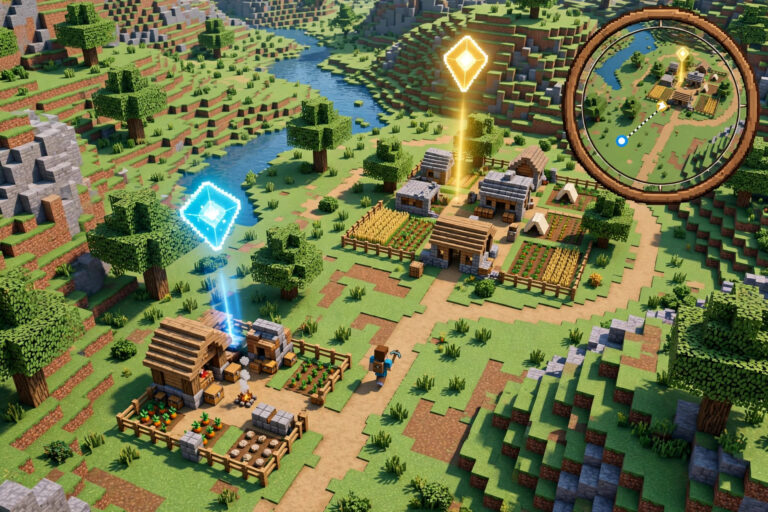
Zoomify Mod Download for Minecraft 26.3
Zoomify Mod Download for Minecraft 26.3
Zoomify Mod Download for Minecraft 26.3 adds a smooth zoom key to Java Edition. Version 2.17.0+mc26.3, released on 2026-10-08, comes from developer isxander, and it has passed 72 million downloads on Modrinth. Hold C to look closer, roll the scroll wheel to push in further or pull back out, and release the key to return to your normal view.
Vanilla Minecraft gives you the spyglass, but it is slow to raise, it fills the screen with a round frame, and it eats a hotbar slot. Zoomify replaces that with one key press. At default settings the zoom takes you to roughly a quarter of your normal field of view, so distant objects look about four times larger.
I use it most while building. A roof line that looks straight from the ground can show a crooked row of blocks from fifty blocks away, and Zoomify lets me check it without flying over or placing scaffolding. It does the same job while scouting: a village across a plains biome, a pillager outpost on a hill, a nether fortress wall through the fog. The download is one universal jar, zoomify-2.17.0+mc26.3-universal.jar, about 579 KB, for Fabric and NeoForge. It is client-side only, so no server install is needed. It does not reveal hidden ores through walls, change hitboxes, or automate anything. A small number of competitive servers ban zoom tools in ranked play, so check the allowed-mods list first.
Minecraft 26.3 · Fabric/NeoForge · v2.17.0 · Official download
What Zoomify changes
Zoomify adds a zoom key and a set of settings around it. The default key is C. Hold it and the camera moves closer. Roll the scroll wheel while holding it and the zoom level shifts in either direction. Version 2.17.0 lets you scroll out past the initial zoom level too, which the older builds did not allow. Release the key and the view returns to normal.
Open the settings with the /zoomify command in game, or through Mod Menu if you have that installed. The menu needs YetAnotherConfigLib, known as YACL; without YACL the command does nothing.
Fourteen zoom transitions are available: Instant, Linear, Sine, Quad, Cubic, and Exponential, each in ease-in, ease-out, and ease-in-out forms, with separate choices for zooming in and out. Instant is the default. Ease Out Sine or Ease Out Cubic with a zoom-in time near 0.25 seconds gives a softer landing that feels closer to a camera lens than a switch.
Relative sensitivity lowers your mouse sensitivity in proportion to the zoom level, so a small mouse movement does not throw the view across the screen. Relative view bobbing cuts the bobbing of the camera while zoomed, which keeps the picture steady when you walk and look at the same time. Cinematic camera smooths mouse movement while zoomed, in the style of OptiFine’s zoom. Affect Hand FOV decides whether the item in your hand zooms along with the world or stays at its normal size.
The spyglass settings cover players who still carry one. You can make Zoomify require a spyglass in hand or in your inventory, replace the vanilla spyglass zoom with Zoomify, or show the spyglass overlay and sound effects while zoomed.
Secondary zoom is a second zoom with its own keybind and settings, aimed at content creators. It has its own zoom times and an option to hide the HUD while zooming, so a creator can cut to a clean close shot without the hotbar and crosshair in frame. Presets sit at the bottom of the settings: reset to defaults, or make Zoomify behave like OptiFine.
None of this adds a block, a mob, or a mechanic to the game. Zoomify changes how you look at the world, and it leaves the world alone.
Who should install Zoomify, and who can skip it
Install Zoomify if you build. Checking symmetry, roof lines, and tower tops from a distance is the main use, and the scroll wheel lets you sit at the zoom level that shows the row you need.
Install it too if you scout or explore. A zoom key turns a far hill into a readable shape before you walk to it, and it lets you read a sign or a mob type from a safe distance. The Xaero’s Minimap post on this site covers the other half of that job, one for the map and one for your eyes.
Install it if you record or take screenshots. Secondary zoom with the HUD hidden gives clean close shots, and the transition settings let you pick a zoom that looks smooth on video. Turn on the cinematic camera option before you record.
Skip Zoomify if you play Bedrock, since there is no Bedrock version. Skip it if your loader is Forge or Quilt, since the 26.3 build covers Fabric and NeoForge only. Skip it if you play ranked modes on a server that bans zoom tools. Skip it too if you never zoom and the spyglass already does the job for you; a mod you never press is a file taking up space in the mods folder.
How to install Zoomify
Zoomify 2.17.0 needs YACL on both loaders, plus Fabric API and Fabric Language Kotlin on Fabric, or KotlinLangForge on NeoForge. Mod Menu is optional. Get every file from the official Modrinth page for Zoomify, and check the file name is zoomify-2.17.0+mc26.3-universal.jar, about 579 KB. A different name or a much larger size means a bad copy.
1. Install Fabric or NeoForge for Minecraft 26.3, then launch the game once from the loader profile so the mods folder is created.
2. Get the file zoomify-2.17.0+mc26.3-universal.jar from the official Modrinth page for Zoomify.
3. Get YetAnotherConfigLib for your loader and version, plus Fabric API and Fabric Language Kotlin for Fabric, or KotlinLangForge for NeoForge.
4. Open your Minecraft folder and find the mods folder inside it. On Windows, open Run with Win+R. Type %appdata%\.minecraft and press Enter. On macOS, open Finder, press Cmd+Shift+G, and type ~/Library/Application Support/minecraft.
5. Drop the Zoomify jar and the dependency jars into the mods folder. Do not unzip them.
6. Launch Minecraft from the Fabric or NeoForge profile. The game loads Zoomify with everything else in the folder.
7. Check the Mods menu from the title screen for Zoomify 2.17.0.
8. Load a world and press C. The view should zoom in. Roll the scroll wheel while holding C to change the zoom level, then release C to return to normal.
9. Open the settings with /zoomify in game, or through Mod Menu, and set the transition and sensitivity the way you like them.
If you are new to this process, the guide to installing Minecraft mods on Java Edition on this site walks through the same steps. Two mistakes cause most failed installs: launching the vanilla profile instead of the loader profile, and forgetting a dependency jar.
Compatibility
Version 2.17.0+mc26.3 is built for Minecraft 26.3, and this guide covers that build only. One universal jar works on Fabric and on NeoForge; the 2.17.0 changelog lists added NeoForge support. There is no Forge build for 26.3, no Quilt build for 26.3, and no Bedrock version.
Zoomify is client-side only. The server never needs it, and you can join a server with it installed. Other players see their own view, and the server sees nothing different, as long as the server rules allow zoom tools.
The dependency list is short but firm. YACL is required on both loaders, since it powers the settings menu. On Fabric you also need Fabric API and Fabric Language Kotlin. On NeoForge you need KotlinLangForge. Mod Menu is optional; without it, open settings with the /zoomify command in game.
Zoomify does not work with OptiFine, and you do not need OptiFine alongside it. Use the OptiFine preset in Zoomify’s settings for a similar feel instead of running both. If you are still choosing a loader, the Forge vs Fabric vs NeoForge comparison on this site lays out what each one offers.
Performance
Zoomify is a small mod, about 579 KB, and it does no work when you are not holding the zoom key. The zoom itself is a camera change, not a rendering change, so it adds no new blocks to draw and no new textures to load. No measured frame numbers are published for this version.
The camera settings change how the view moves while zoomed, but none of them add work for the game to do. If your game already runs well, Zoomify will not change that. If your game struggles, Zoomify will not fix it either.
Troubleshooting
The zoom key does nothing. The most likely cause is a keybind conflict: another mod or a vanilla bind may already use C. Open Options, then Controls, then Key Binds, and change the Zoomify entry to an unused key such as V. The other cause is the wrong profile: if you launched the vanilla profile instead of the Fabric or NeoForge profile, Zoomify never loaded.
The game crashes on startup after adding Zoomify. A missing dependency is the usual cause. Check the crash report for Fabric API, Fabric Language Kotlin, KotlinLangForge, or YACL, and add whichever file the report names. Also check that every jar matches Minecraft 26.3 and your loader.
Zooming feels jerky or snaps in too fast. Change the zoom-in transition from Instant to Ease Out Sine or Ease Out Cubic, and raise the zoom-in time to around 0.25 seconds. Turn on cinematic camera, and check that relative sensitivity is enabled.
The settings menu will not open. The /zoomify command needs YACL installed, and without it the command does nothing and the Mod Menu settings button is missing too. Check that YACL is in the mods folder and that the YACL build matches your loader.
FAQ
Is Zoomify allowed on servers?
On most servers yes. A small number of competitive servers ban zoom tools in ranked modes, so check the server rules first.
Does it work with OptiFine?
No, and you do not need OptiFine alongside it. Use the OptiFine preset in Zoomify’s settings for a similar feel.
Can I change the zoom key?
Yes, in Options, then Controls, then Key Binds. Zoomify warns on first launch if its default key conflicts.
Is there a Bedrock version?
No. Zoomify is a Java Edition mod for Fabric and NeoForge.
Does Zoomify let me see through walls?
No. It zooms the camera in on what is already visible. It does not reveal hidden ores or change hitboxes.
Verdict: Zoomify Mod Download for Minecraft 26.3
Zoomify Mod Download for Minecraft 26.3 is worth installing if you play Java Edition on Fabric or NeoForge and you ever wish you could look closer at something. The mod is small, about 579 KB, and it does one job well: hold C, look, let go. Version 2.17.0+mc26.3, released on 2026-10-08, is unchanged since the last release, and it adds NeoForge support plus the ability to scroll out past the initial zoom level. It has passed 72 million downloads on Modrinth.
The limits are plain. It runs on Fabric and NeoForge only, so Forge and Quilt players are left out, as are Bedrock players. It needs YACL and the loader libraries installed alongside it, and a few competitive servers ban zoom tools in ranked play. If you build or scout, install Zoomify and set the transition to Ease Out Sine.