
Particle Rain Mod Download for Minecraft 26.3 (Fabric)
Particle Rain replaces Minecraft’s plain weather with angled rain, drifting snow, desert sandstorms and low fog. Version 4.0.4 runs on Minecraft 26.3 with Fabric and needs Fabric API. It is client-side only, so it works on any server without the server running it, and the built-in config menu lets you tune every effect or turn it off.
Rain in vanilla Minecraft looks flat
Stand outside during a storm in a vanilla world and you get grey streaks that fall straight down, while the rest of the game has shadows, clouds, water and light. Particle Rain is a small mod with one job: make weather look like weather. It has passed 23 million downloads on Modrinth, which tells you how many players felt the same way about those grey streaks.
This article covers the file to grab, how to install it, what it changes, how it plays with shaders and other mods, and what to do when something looks wrong. The download button sits right below, so you can grab the file first and read the rest after.
Minecraft 26.3 · Fabric 4.0.4 · Official download
What Particle Rain changes in your world
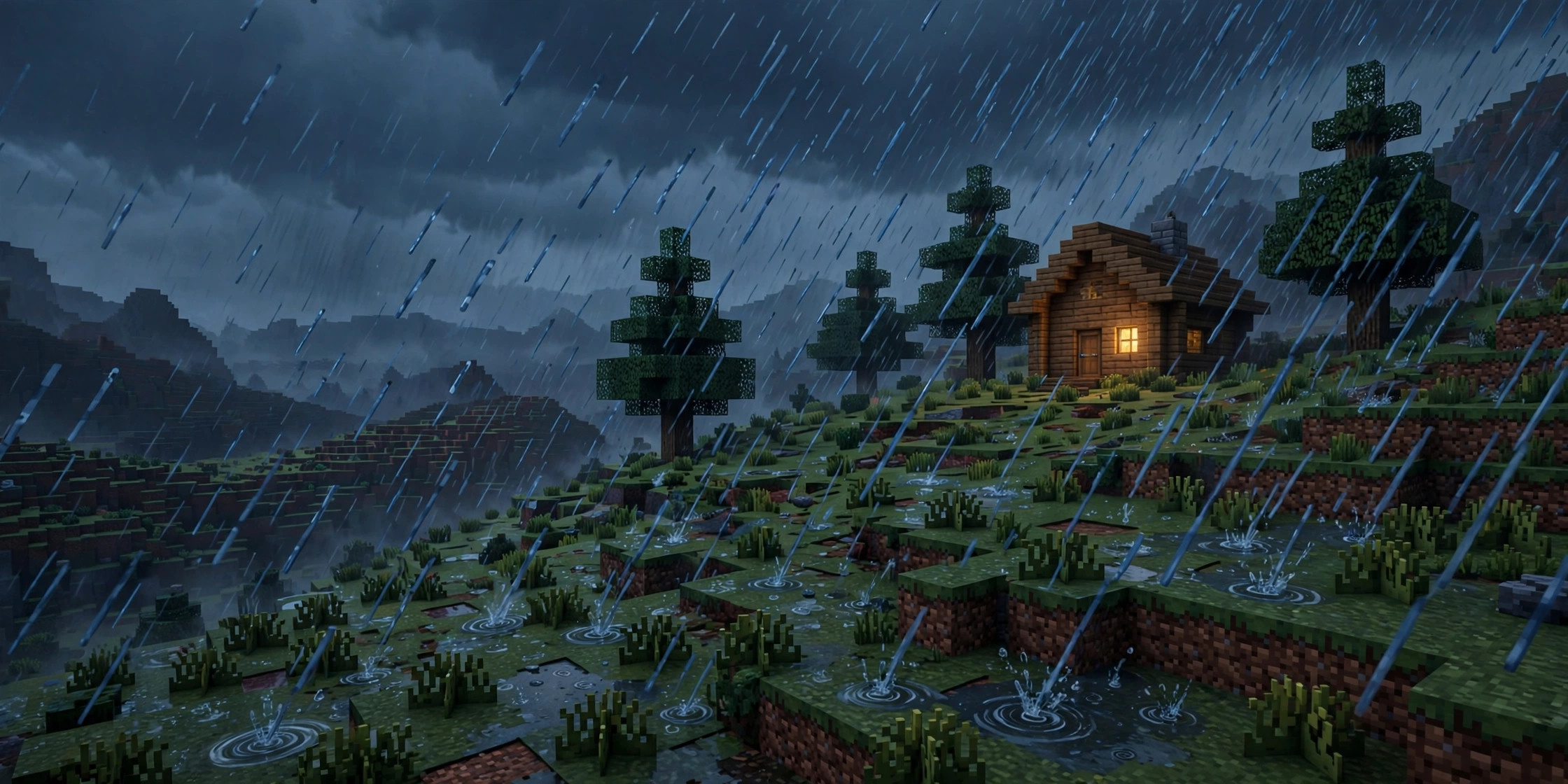
Rain is the first thing you notice. It falls at an angle now, pushed sideways by wind, and it gets denser when a storm rolls in. Version 4.0.4 also makes rain fade in and out with the weather instead of snapping on and off. Heavy rain gets its own thicker fall during storms.
Snow gets the same treatment. Flakes rotate slowly as they fall instead of dropping in straight lines, and storms bring a heavy snow variant. The mod keeps the calm feel of vanilla snow, so a snowy biome reads as quiet and cold.
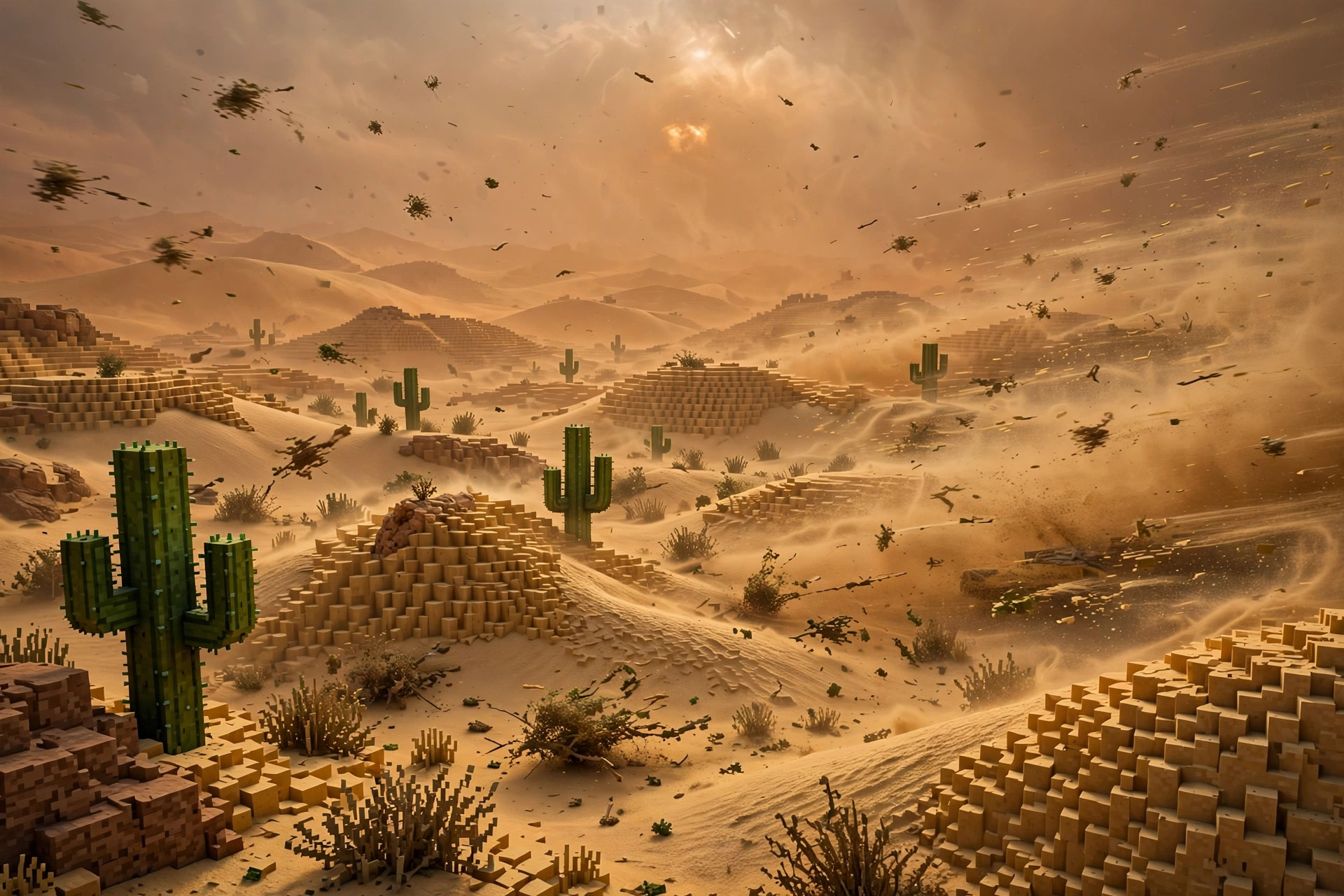
Deserts and dry biomes get sandstorms. Dust and small shrubs blow across the ground, and the dust takes its color from the block below it. That one detail means sandstorms fit modded biomes too, without any setup from you. Fog shows up in spooky and wet biomes, and sometimes it rolls in after rain.
Then there are the small touches. Rain that hits water leaves ripples. Rain that hits a hard wall runs down it in streaks. Modded biomes with a strong color tint pass that tint on to the rain and water particles, so the weather matches the place you are standing in. Nothing here changes how the game plays. No new items or mobs. No survival mechanics either. It is all about what you see when you look up.
The config menu is where the mod earns its keep. Type /particlerain in chat, or open it from the mod list if you have Mod Menu installed. Every effect has its own settings, so you can turn off sandstorms and keep the rain, or kill the fog and keep everything else. You can also build your own effects for specific blocks and biomes, which is how pack makers use it to give their worlds a distinct feel.
The puddles feature used to be part of this mod, and it now lives in its own mod called Puddles and Floods. Version 4.0.4 plays nicely with it, and ripples now spawn on those puddles too. The mod also builds its rain and snow textures from the game’s own weather textures, so your resource pack still applies.
Who should install it, and who should skip it
Install Particle Rain if you spend time in survival worlds and you care about how they look. It suits players who build bases in rainy biomes and players who take screenshots. It also suits anyone running shaders who wants the weather to match the rest of the scene.
Skip it if you want Minecraft to stay exactly as Mojang shipped it. Some players like the plain look, and there is nothing wrong with that. Skip it too if you run Particull, because that mod breaks Particle Rain’s weather effects and the author is blunt about the fix: remove Particull. If your machine already struggles and you refuse to touch the density slider, skip it as well, because more particles always cost some frames.
One honest limit: this mod does not touch gameplay. If you want storms that damage crops or seasons that change farming, you need a different mod. Particle Rain makes weather look better and stops there.
How to install Particle Rain on Fabric
- Install Fabric Loader for Minecraft 26.3 from the Fabric website, then run the game once so the mods folder is created.
- Download Fabric API for Minecraft 26.3. Particle Rain will not load without it, and the game will crash or the mod will sit silent in the list.
- Download particlerain-4.0.4+26.3-fabric.jar from the button above. Check the file name before you move it. The Modrinth page lists files for Forge and NeoForge too, and those files will not work on a Fabric install.
- Move both jar files into the mods folder in your .minecraft directory. Do not unzip them. A jar file goes in whole.
- Launch the game with the Fabric 26.3 profile. Open the Mods menu and look for Particle Rain in the list. If it is there, the mod loaded.
- Join a world and type /particlerain to open the config. If the menu opens, the install is done.
If you want the config button in the mod list instead of a chat command, add Mod Menu. It is optional. WindLink is optional too, and it feeds wind data to shader packs that support it. Neither one is needed for the mod to work.
Worlds, servers, and compatibility
Particle Rain is client-side only. You install it on your own game, and it works on any server, including servers that have never heard of it. The server does not need the mod, and other players on the same server will not see your weather unless they install it too.
Existing worlds are safe. The mod adds no blocks, no items, and no world data, so it works in a world you have played for months and it removes cleanly. Take the jar out of the mods folder and your weather goes back to vanilla. No backup is needed for the mod itself, though a backup of any world you care about is always a good habit before you change your mod list.
Shader users are covered. The mod works with Iris, and the author recommends BSL for a stylized look or Photon for a realistic one. If the rain looks too blue under your shader pack, there is a toggle for the blue tint in the compatibility settings. Version 4.0.4 also improves support for Ecliptic Seasons, Sable, Puddles and Floods, and Rain Shield, and rain now respects Rain Shield’s weather cancellation.
There are two real conflicts to know about. Particull breaks the weather effects, and the fix is to remove Particull. Particle Core can make effects flicker or vanish, and the fix is to set its culling mode to bounding box or add the particles to its blacklist. If you run Complementary or Astrocraft shaders and the sun turns black during rain, turn off the Sun and Moon during rain setting in the shader pack.
Performance
Particle Rain puts more particles on screen than vanilla rain, so it costs frames. How many depends on the density setting and your hardware. On a modern machine with a decent GPU, the cost is small. On a weak laptop with integrated graphics, a heavy storm at full density will show up in your frame rate.
The density slider is the fix. Drop it to half and the weather still looks far better than vanilla while the particle count falls a lot. You can also turn off sandstorms and fog on their own, which helps in deserts and swamps. If you want numbers on what your game is doing, Spark measures frame time and shows you exactly where the cost sits.
Troubleshooting
The rain still looks vanilla. You have the wrong file for your game version, or Fabric API is missing. Check that the jar name says 26.3 and fabric, and that Fabric API for 26.3 is in the mods folder next to it.
The config menu will not open. Type /particlerain in chat instead of looking for a button. The in-game menu button comes from Mod Menu, which is optional. If the command does nothing, the mod did not load, so check the Mods list first.
The weather effects are missing. Particull is the usual cause. Remove it and restart. If the effects are still gone, check that no other particle mod is overriding them, and look at the Particle Rain config to confirm the effect is turned on.
Particles flicker or vanish. This is the Particle Core conflict. Open the Particle Core config, set the culling mode to bounding box, or add Particle Rain’s particles to its blacklist. Restart the game after the change.
The sun turns black during rain. This comes from Complementary or Astrocraft shaders. Open the shader settings and turn off Sun and Moon during rain. The sky will render normally again.
FAQ
Does Particle Rain work on servers? Yes. It is client-side only, so it works on any server without the server installing it. Your weather is yours alone.
Does it work with shaders? Yes, through Iris. BSL and Photon are the recommended packs. If the rain looks too blue, turn off the blue tint in the compatibility settings.
Does it change gameplay? No. It changes how weather looks. No new items or mobs come with it.
Will it slow my game down? It can, because it draws more particles than vanilla rain. The density slider controls the cost. Lower it if your frames drop during storms.
Is there a Forge version? The Modrinth page lists Forge and NeoForge files for other Minecraft versions, but for 26.3 the current file is Fabric only. Grab the file that matches your loader and your game version, and check the file name before you install it.
Verdict
Particle Rain mod download is an easy yes for anyone who plays Fabric on Minecraft 26.3 and wants better weather. It does one thing, it does it well, and it stays out of the way of everything else in your mod list. The config menu gives you real control over every effect. The shader support is solid, and removing the mod is as simple as deleting one file.
The only players who should pass are the ones who want vanilla weather untouched and the ones running Particull. If your hardware is so weak that any extra particles hurt, pass on this one too. For everyone else, install it and set the density to taste. Then let the next storm roll in. If you want the rest of your game to look this good, Drippy Loading Screen is a small visual mod in the same spirit.


