
EMI Mod Download for Minecraft 1.21.1 (NeoForge)
EMI Mod Download for Minecraft 1.21.1 gives you version 1.1.24 for NeoForge, a free client-side recipe viewer with no dependencies. It lists every item and block in the game and shows crafting recipes and item uses. Its recipe tree breaks a big craft into base materials with exact counts. The file is emi-1.1.24+1.21.1+neoforge.jar at 1.1 MB, and it runs on servers without the server running it.
EMI has passed 31 million downloads on Modrinth, which puts it beside JEI and REI as one of the three recipe viewers most players know by name. Version 1.1.24 came out on 2026-05-13 for Minecraft 1.21.1 on NeoForge. The changelog is short: a fix for inconsistent crashes tied to mixin order, and a change to mixin logging. This is a stable release. The file on this page is the one the Modrinth API lists as the current release for 1.21.1 on NeoForge.
EMI is not an acronym. The Modrinth page says so outright, then lists joke expansions like Exhaustively Many Items and Even More Items. The mod itself sticks to a single job: it answers recipe questions inside the game, so you stop leaving the game to answer them.
This page covers the NeoForge build for Minecraft 1.21.1 only. A file built for Fabric will not load on a NeoForge profile, so match the file name to your profile before you download anything.
Minecraft 1.21.1 · NeoForge · v1.1.24 · Official download
What does EMI change in Minecraft?
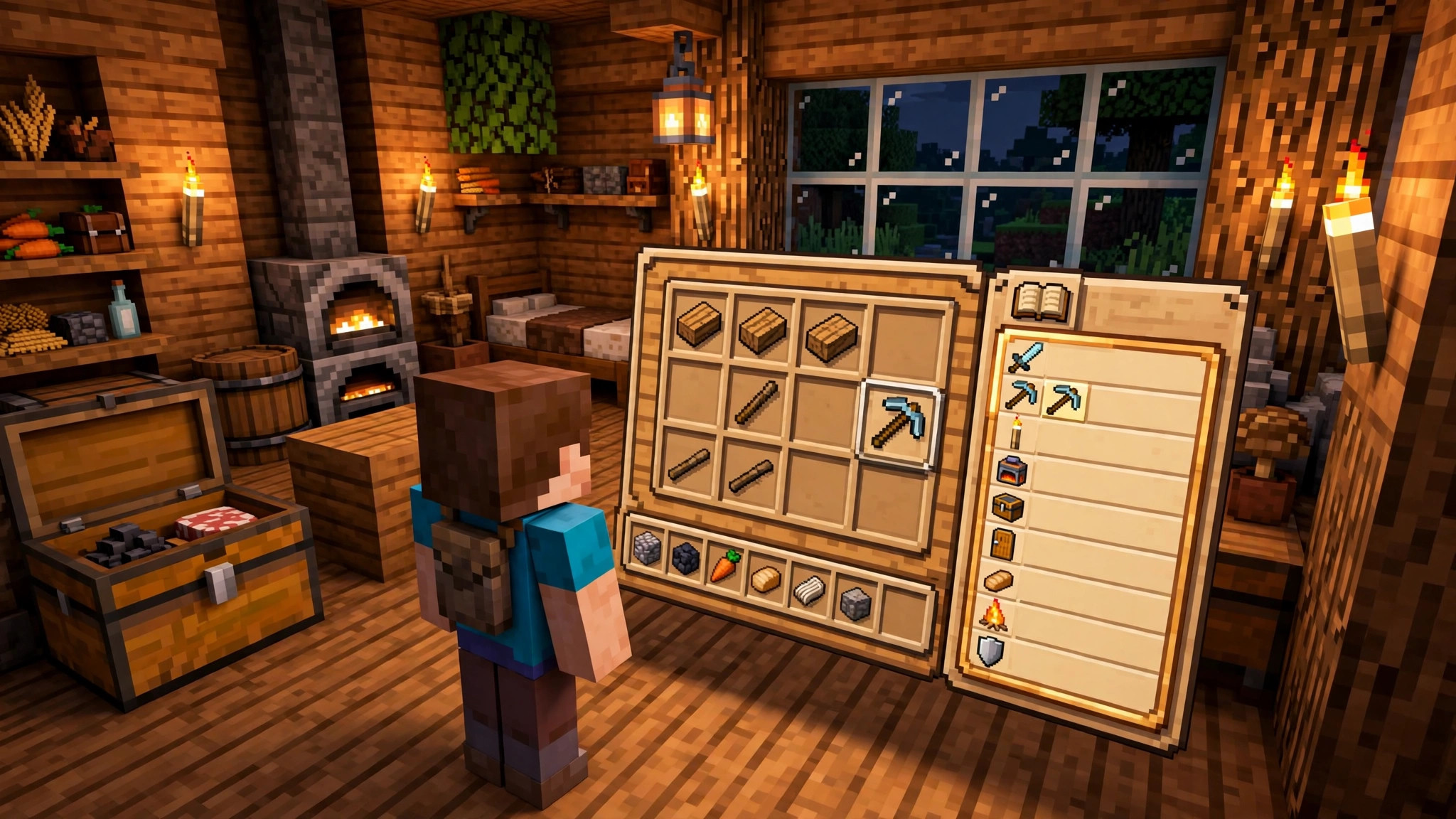
Open your inventory and a panel sits beside it with every item and block in the game. Type a name in the search box and the list narrows as you type. Click an item and you see the recipes that make it, plus the recipes that take it as an ingredient.
Craftable mode
Flip on craftable mode and the panel shows only the items you can make with the materials in your inventory right now. It turns the panel from a catalog into a short list of things you can build this minute.
Favorites that craft
Press A on an item or a recipe to pin it to a favorites strip on the left side of the screen. Favorited recipes can craft at a button press: left-click a favorited recipe to craft one, shift and left-click to craft the most you can make, and ctrl and left-click to craft one straight to your cursor.
The recipe tree
Open the recipe tree for an item and EMI breaks the craft into every step. It counts the base ingredients you need and shows what you will have left over. The tree crafting mode goes further: it counts up the materials and steps you still need, and it puts synthetic favorites in your sidebar for each intermediate step, so you can craft each part in the amount you need.
Smart tags and tooltips
EMI shows tags with their translations and models instead of rotating through every item in the tag. A recipe that wants planks shows “Planks” at a glance instead of cycling through oak, spruce, birch, and the rest. Tooltips on recipes and ingredients show what will be crafted and what makes up an ingredient.
How does EMI compare with JEI and REI?
All three viewers answer the same two questions: how do I make this, and what is it used in. JEI is the plainest of the three, and it is the safe pick if you play NeoForge and want a standard viewer with nothing extra to learn. Our JEI mod download page covers that build. REI is the Fabric-side answer. Our REI mod download page covers that build.
EMI is the pick when you craft multi-step items in big packs and want the tree to count materials for you. It is also the only one of the three with no dependencies at all.
| EMI | JEI | REI | |
|---|---|---|---|
| Recipe tree with base-material counts | Yes | No | No |
| Favorites that craft at a button press | Yes | No | No |
| Dependencies | None | MezzConfig | Fabric API, Architectury, Cloth Config |
| Loader match | Fabric, Forge, NeoForge, Quilt | NeoForge, Forge | Fabric, Quilt |
Install JEI beside EMI and they share recipes, with JEI hidden, which helps with mods that only integrate with JEI.
Who should install EMI and who should skip it?
EMI earns its place fastest in modded survival on NeoForge. A pack with two hundred new items turns the recipe book into guesswork, and EMI turns it back into a search box. Players working toward a netherite set get the most from the recipe tree, since it counts the base materials before they start gathering.
Skip it if you play vanilla only and know the recipes by heart. The built-in recipe book already covers vanilla crafting, and EMI mostly repeats that information in a nicer panel. Skip it too if your server runs a strict approved-mods list: some servers ban any client mod they have not cleared.
If JEI already runs in your pack and you never craft multi-step items, switching buys you little. EMI can run beside JEI, so you can try it without removing anything.
How do I install the EMI Mod Download on NeoForge?
- Make sure your launcher profile runs NeoForge on Minecraft 1.21.1, and launch it once so the folders are created.
- Back up your world first. It takes a minute and I never skip it before touching mods.
- Get the file from the button above: emi-1.1.24+1.21.1+neoforge.jar, 1.1 MB.
- Open your .minecraft folder, then the mods folder inside it. Make a mods folder if there is none. On Windows the path starts at %appdata%\.minecraft.
- Drop the jar into the mods folder. Do not unzip it, and do not add Fabric API: this NeoForge build has no dependencies.
- Launch the NeoForge 1.21.1 profile and open your inventory. The item panel should sit beside the inventory screen.
To confirm EMI loaded, open the mod list from the main menu and look for EMI 1.1.24. If it is there and the panel shows in your inventory, the install worked. If the game loads with no panel, check the mods folder for a second emi file: two copies give a duplicate-mod error. For more detail on the folder steps, our guide to installing Minecraft mods on Java Edition walks through the same process.
Does EMI work with my world, server, and other mods?
EMI is safe to add to a world you already play. It adds no blocks or items, so your save stays the same. Drop it in, load the save, and the panel is there. Removing it is just as safe.
On a server, EMI runs on your side only. The Modrinth listing marks it client-side required and server-side optional, so the server does not need it. It shows the recipes the server sends it, so modded recipes appear only when the server runs the same mods.
Version matching is strict. This file runs on Minecraft 1.21.1 on NeoForge. A 1.21 file will not load on a 1.21.1 profile, and a Fabric file will not load on NeoForge. Conflicts with other mods are rare. The one to watch for is a mod that redraws the inventory screen: its buttons can sit under the EMI panel, and EMI settings let you move the panel out of the way.
Does EMI slow down Minecraft?
I have no frame-rate numbers for this build, and I will not invent any. EMI adds no world generation and no items, so it does nothing at all until you open an inventory screen. Drawing the panel and the search box is a small job next to rendering the world itself. If your frames drop, look at render mods first.
What if EMI does not work?
The game crashes on launch after I add EMI
Check the file name against your profile first. A Fabric jar on a NeoForge profile crashes on launch, and so will a 1.21 jar on 1.21.1. The file for this build is emi-1.1.24+1.21.1+neoforge.jar. Swap in the right file and the crash should stop.
The panel is missing but the game loads
Open the mod list from the main menu. If EMI is absent, the jar went into the wrong folder or it is a build for a different Minecraft version. If EMI is listed, open the EMI settings from the button in the bottom-left corner of the screen and check the layout. A panel moved off-screen by an inventory mod looks the same as a missing panel.
Recipes for modded items are missing
The panel only lists what is loaded. If a mod failed to load, its items are absent, and the fix is in the mod list, not in EMI. On a server, the same gap means the server does not run that mod. For mods that only integrate with JEI, install JEI beside EMI: the runtime compat shares JEI recipes into EMI.
A shortcut does nothing
EMI keeps its binds in its own config, not in the vanilla Controls screen, so look in the EMI settings under Binds. The shortcuts only work while an inventory or crafting screen is open, so open one first. If a bind still does nothing, another mod may have taken the same key, so rebind it to a free key.
FAQ
Is EMI free?
Yes. EMI is free on Modrinth, where the project has passed 31 million downloads.
Does EMI work on servers?
Yes. EMI is client-side, so you install it on your side only. The server does not need it, and it shows the recipes the server knows.
Do I need Fabric API for the NeoForge version?
No. This NeoForge build has no dependencies. Fabric API belongs to Fabric profiles, and adding it to a NeoForge mods folder will not help EMI load.
Can I run EMI and JEI at the same time?
Yes. Install JEI beside EMI and they share recipes, with JEI hidden. That helps with mods that only integrate with JEI.
Does EMI work on Minecraft 1.21 or 1.20.1?
Not with this file. Each Minecraft version has its own EMI build, and this one is for 1.21.1 on NeoForge only.
Will removing EMI break my world?
No. EMI adds no blocks or items to the world, so removing the jar changes nothing in your save.
Verdict: is EMI worth installing?
The EMI Mod Download is worth it for any NeoForge player on 1.21.1 who crafts more than the basics. It answers the two questions you ask all session, how do I make this and what is it used in, without leaving the game, and the recipe tree answers the third question the other viewers leave open: how much of each material do I need. The install is one file with no dependencies. Vanilla-only players can skip it, and players who already run JEI in a plain pack can stay where they are. Everyone else on NeoForge 1.21.1 should have it in the mods folder.


